DOWNLOAD KJV BIBLE SEARCH
.webp)
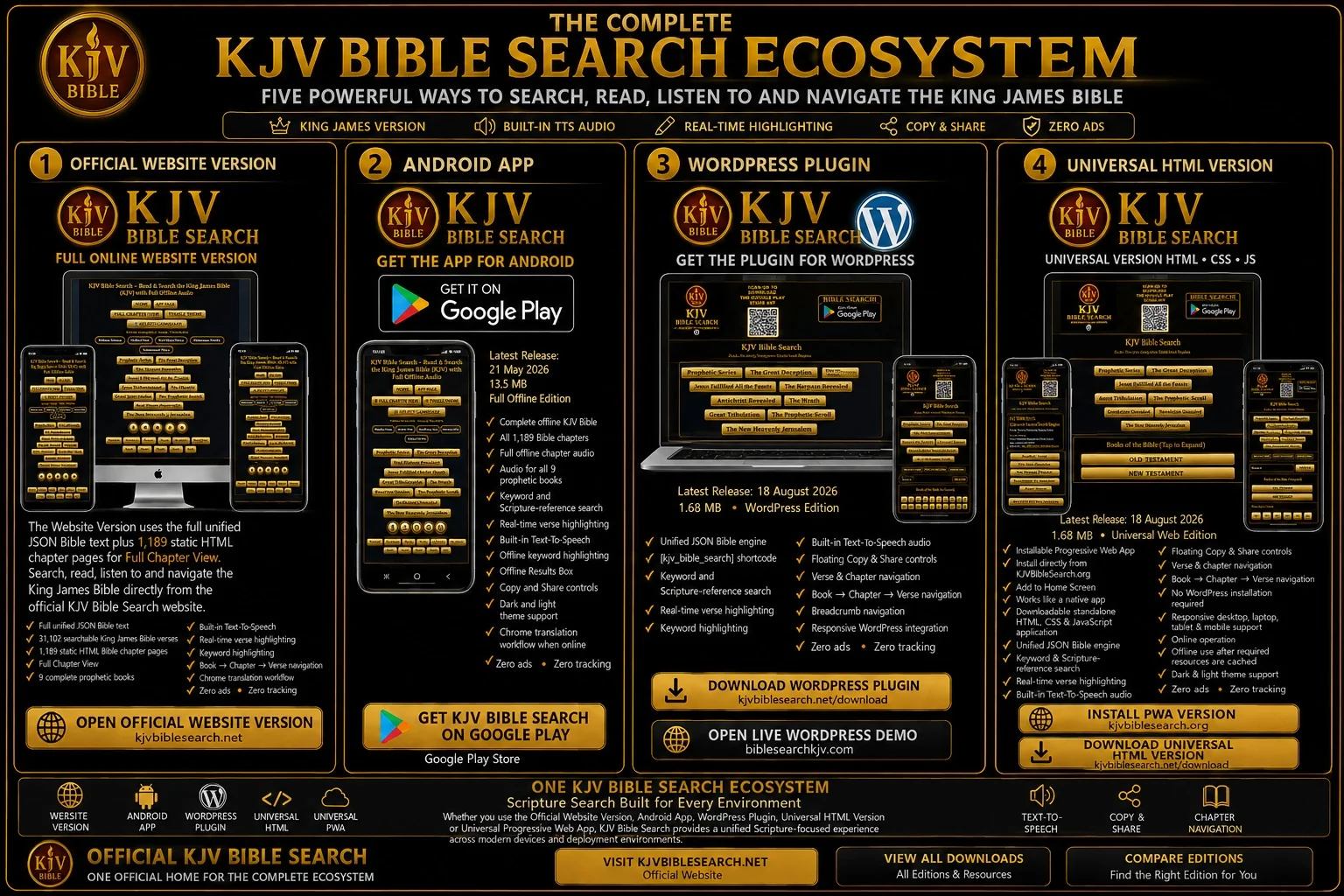
THE COMPLETE KJV BIBLE SEARCH ECOSYSTEM
Choose Your KJV Bible Search Product
Protected WordPress & Universal Downloads
The WordPress Plugin v1.5.3 Security Hardened and Universal HTML + Installable PWA v1.5.4
Security Hardened ZIP files use a mandatory server-enforced download agreement.
When either ZIP download button or direct ZIP URL is requested, the download is not streamed until
all required Terms & Conditions checkboxes have been accepted for that product in the current
browser session. The public ZIP filenames remain unchanged.
READ FULL TERMS & CONDITIONS
SOFTWARE DOWNLOAD AGREEMENT
WORDPRESS PLUGIN LICENCE
UNIVERSAL SOFTWARE LICENCE
The WordPress and Universal ZIP downloads are governed by the current Terms, the Software Download Agreement
and the applicable product-specific licence. The WordPress Plugin's GPL-covered code remains governed by
GPL-2.0-or-later. The proprietary Universal components are governed by the Universal Software Licence,
subject to public-domain material, third-party/open-source licences and mandatory law.
Four official KJV Bible Search products for searching, reading, listening to and navigating the King James Bible.
Choose the product built for your device, website or server. Every product is ad-free and
uses the KJV Bible Search Scripture-focused interface.
PRODUCT 1 • OFFICIAL WEBSITE VERSION
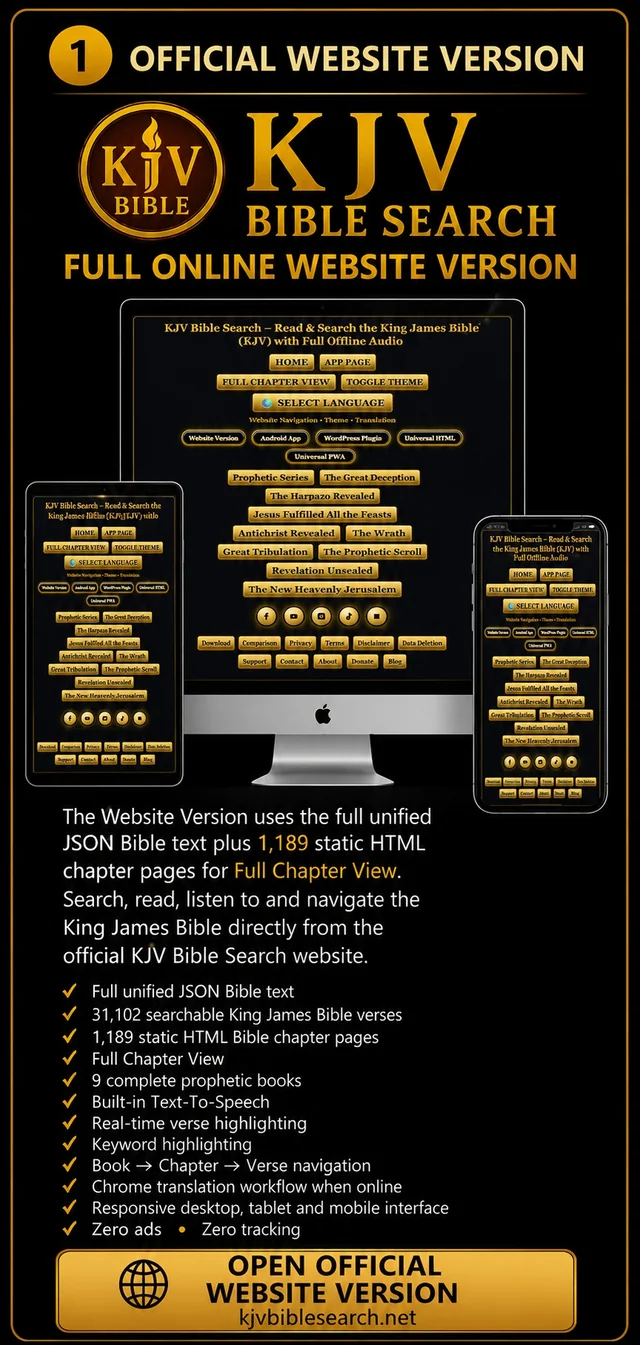
KJV Bible Search — Official Website Version
The complete online KJV Bible Search experience at the official website, powered by
the full unified KJV Bible text and 1,189 static HTML chapter pages for Full Chapter View.
- Full unified KJV Bible text
- 1,189 Bible chapter pages
- 31,102 searchable Bible verses
- Keyword and Scripture-reference search
- Full Chapter View
- 9 prophetic books
- Built-in Text-to-Speech
- Real-time verse highlighting
- Keyword highlighting
- Copy and Share controls
- Book → Chapter → Verse navigation
- Dark and light theme support
- Chrome translation workflow
- Zero ads
OPEN OFFICIAL WEBSITE VERSION
PRODUCT 2 • ANDROID APP
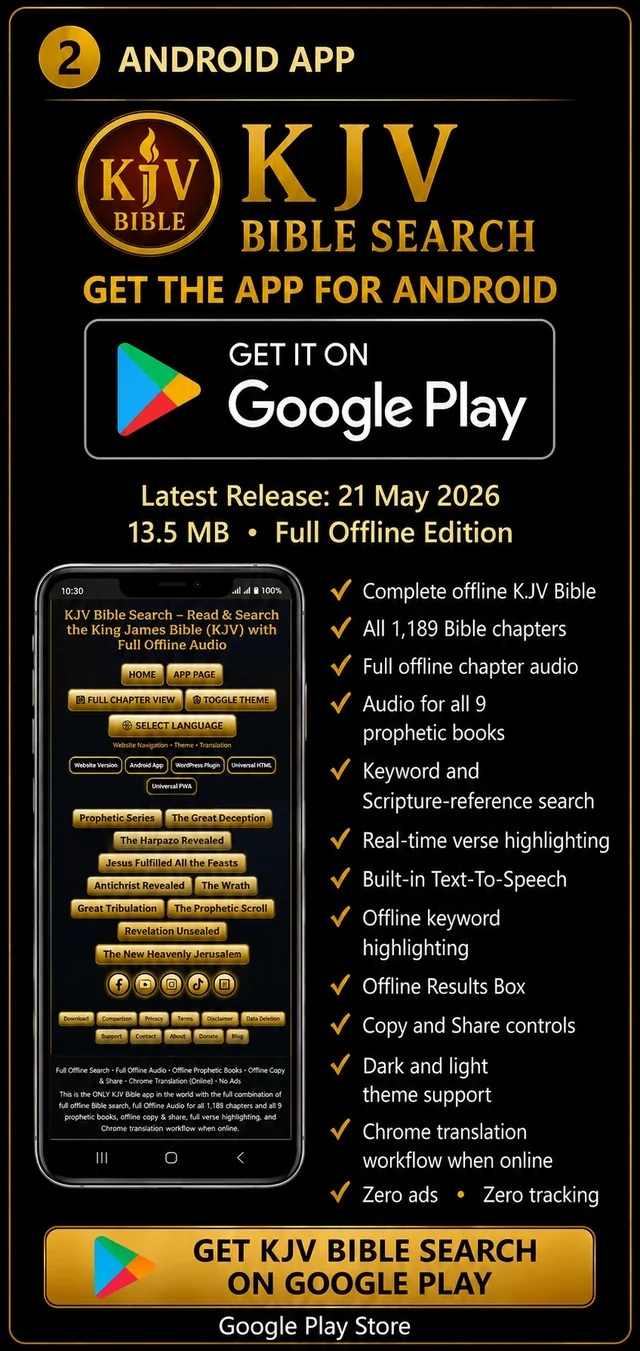
KJV Bible Search Android App
Latest Release: 21 May 2026 • 13.5 MB • Full Offline Edition
Install the complete KJV Bible Search experience on Android with the full offline Bible
database, offline Scripture search, built-in Text-to-Speech, full chapter audio and complete
offline Bible navigation.
- Complete offline KJV Bible
- All 1,189 Bible chapters
- Full offline chapter audio
- Audio for all 9 prophetic books
- Keyword and Scripture-reference search
- Real-time verse highlighting
- Built-in Text-to-Speech
- Offline keyword highlighting
- Offline Results Box
- Copy and Share controls
- Dark and light theme support
- Chrome translation workflow when online
- Zero ads • Zero tracking
GET KJV BIBLE SEARCH ON GOOGLE PLAY
DOWNLOAD WORDPRESS PLUGIN
PRODUCT 3 • WORDPRESS PLUGIN
KJV Bible Search — WordPress Plugin
Latest Release: 26 August 2026 • v1.5.3 Security Hardened • 1.45 MB • WordPress Edition
Security Release: The public download now includes cryptographically signed
integrity verification, the bundled public verification key, SHA-256 protected-file checks,
automatic integrity monitoring, Site Health integration, administrator tamper alerts,
unexpected PHP-file detection and Apache/LiteSpeed + IIS hardening.
Add the KJV Bible Search engine directly to a compatible WordPress website using the
unified JSON Bible engine, WordPress PHP integration and dedicated shortcode.
- Unified JSON Bible engine
[kjv_bible_search] shortcode- Keyword and Scripture-reference search
- Real-time verse highlighting
- Keyword highlighting
- Built-in TTS audio
- Floating Copy and Share controls
- Verse and chapter navigation
- Book → Chapter → Verse navigation
- Responsive desktop, tablet and mobile interface
- v1.5.3 Security Hardened release
- RSA-3072 + SHA-256 signed integrity verification
- Bundled public verification key and signed integrity manifest
- Automatic integrity monitoring with explicit tamper states
- WordPress Site Health integrity integration
- Administrator tamper warnings
- Unexpected PHP-file detection
- Apache/LiteSpeed and Microsoft IIS server hardening files
- Read-only ZIP permission metadata where supported
- Zero ads
DOWNLOAD UNIVERSAL HTML VERSION
PRODUCT 4 • UNIVERSAL HTML + INSTALLABLE PWA
KJV Bible Search — Universal HTML Version & Installable PWA
Latest Release: 26 August 2026 • v1.5.4 Security Hardened • 1.75 MB • Downloadable • Installable • Online + Offline
Security Release: The public Universal/PWA download now includes a signed
release manifest, bundled public verification key, SHA-256 file integrity verification,
browser-based security status checking, Subresource Integrity for core CSS/JavaScript,
service-worker verification and Apache/LiteSpeed + IIS hardening.
One Universal KJV Bible Search product with two deployment options:
a downloadable standalone HTML, CSS and JavaScript application for installation
and deployment across compatible devices, websites, servers, WebViews, mobile wrappers,
desktop wrappers and ordinary HTML environments, plus the full live installable
Progressive Web App at KJVBibleSearch.org.
- Downloadable standalone HTML, CSS and JavaScript application
- Install and deploy on compatible devices and environments
- Live installable Progressive Web App
- Install directly from supported browsers
- Phone, tablet, laptop and desktop support
- Unified JSON Bible engine
- Keyword and Scripture-reference search
- Real-time verse highlighting
- Keyword highlighting
- Built-in TTS audio
- Floating Copy and Share controls
- Verse and chapter navigation
- Book → Chapter → Verse navigation
- No WordPress installation required
- Offline use after required PWA resources are cached
- v1.5.4 Security Hardened release
- RSA-3072 + SHA-256 signed release manifest
- Bundled public verification key and browser integrity verifier
- Subresource Integrity (SRI) protection for core CSS and JavaScript
- Service-worker SHA-256 verification before registration
- Explicit tamper/integrity status reporting
- Apache/LiteSpeed and Microsoft IIS server hardening files
- Read-only ZIP permission metadata where supported
- Zero ads
Download the official KJV Bible Search app from the Google Play Store.
Fast. Offline. No ads. Full audio. Real‑time verse highlighting.
Built for prophetic study, preaching, and deep Bible research.
- Instant full‑Bible keyword search (offline + online)
- Keyword + reference search (“faith”, “John 3:16”, “Genesis 1:1”)
- Keyword highlighting in all search results
- Real‑time verse highlighting synced with audio
- Full built‑in TTS audio bar
- Floating copy & share buttons above the audio bar
- Full offline Bible (1,189 chapters included)
- Full offline audio for all 1,189 chapters + 9 prophetic books
- Full Chapter View (online) — loads all 1,189 website chapter pages with audio
- Smart navigation: Book → Chapter → Verse, breadcrumb menu, OT/NT lists
- Chrome Translation Workflow (no UI.json files required)
- “Tr” translation instruction button
- Select Language buttons (open Home Page for translation access)
- All translations handled by Chrome’s built‑in translation engine
- No offline UI translation files — no JSON, no dropdown, no maintenance
- Dark/Light theme toggle
- Lightweight app — installs at 13.5 MB
- Zero ads • Zero tracking • Zero data collection
Scan to Download:

.webp)
Live KJV Bible Search Demo Sites
Experience the KJV Bible Search Engine running live in two official environments:
the WordPress Plugin version and the
Universal Version.
The WordPress Plugin demonstration runs at
biblesearchkjv.com/.
The Universal Version runs live at
kjvbiblesearch.org.
This is not only the official live demonstration of the Universal Version —
it is also the complete KJV Bible Search Universal Progressive Web App (PWA).
Visitors can use it instantly online in their browser or install it directly
from a supported browser onto compatible mobile phones, tablets, desktop computers,
laptops and other PWA-capable devices.
After the required application files and KJV Bible database have been stored
in the browser cache, the installed PWA can continue operating offline as well
as online.
The two live sites demonstrate the same core KJV Bible Search Engine
in different deployment environments.
biblesearchkjv.com/
demonstrates the downloadable WordPress Plugin operating inside WordPress.
kjvbiblesearch.org
demonstrates the downloadable Universal HTML Version operating as a standalone
web application and also provides the official installable
KJV Bible Search Universal PWA.
The PWA requires no ZIP download for normal use. Open
kjvbiblesearch.org in a supported browser and use the browser's
install option to install KJV Bible Search as an app on compatible desktop,
laptop, tablet or mobile devices.
The live Universal PWA is covered by the current
Terms & Conditions,
Privacy Policy and
Universal Software Licence
to the extent applicable to the live PWA deployment.
The installed PWA provides a standalone app-style experience and can continue
operating offline after its required application resources and KJV Bible database
have been cached.
The separate Universal Version ZIP download below remains available
for website owners, developers and ministries who want to host the Universal
HTML / CSS / JavaScript version on their own website or server.
KJV Bible Search – WordPress Plugin
Latest Release: 26 August 2026 • v1.5.3 Security Hardened
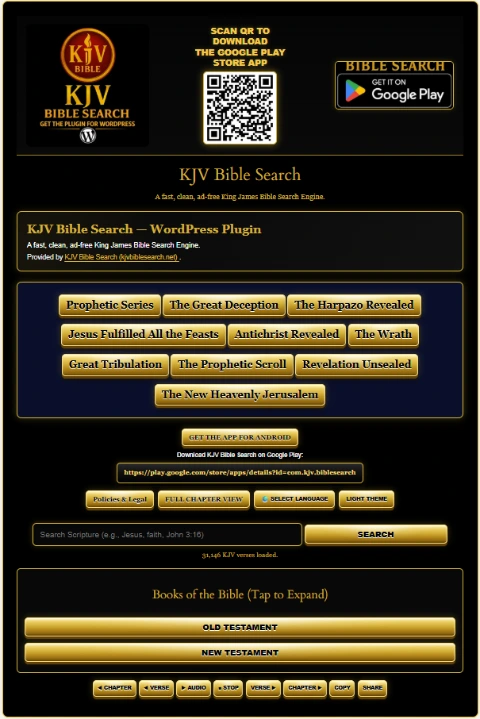
WordPress Plugin Interface
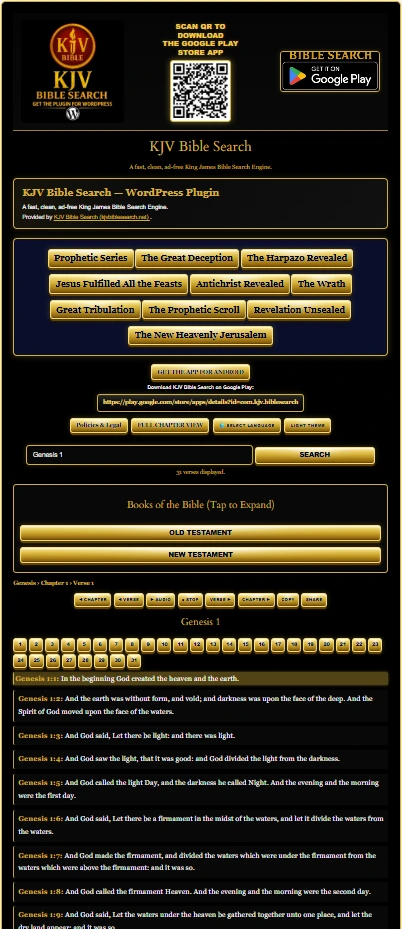
Install the official KJV Bible Search WordPress Plugin on your church website,
ministry website, or personal WordPress website.
Fast. Lightweight. No ads. Full KJV Bible Search Engine with real-time verse highlighting,
chapter navigation, instant keyword lookup, Text-To-Speech audio, copy and share tools,
and Book → Chapter → Verse navigation.
This plugin uses the unified JSON Bible engine
(kjv_full.json + the /kjv/ verse folder)
for fast Scripture retrieval and includes the required
WordPress PHP integration and shortcode support.
Ultra-lightweight unified-JSON engine — plugin ZIP is approximately 1.45 MB.
DOWNLOAD WORDPRESS PLUGIN (ZIP)
Direct Download Link:
https://kjvbiblesearch.net/downloads/kjv-bible-search.zip
Complete WordPress Installation Instructions
-
Download the
KJV Bible Search WordPress Plugin ZIP
using the download button above.
-
Do not manually extract the ZIP before uploading it through WordPress.
WordPress installs the plugin directly from the ZIP package.
-
Log in to your WordPress administration dashboard.
-
Go to:
Plugins → Add New Plugin → Upload Plugin.
-
Click Choose File and select:
kjv-bible-search.zip
-
Click Install Now.
-
When WordPress finishes installing the package,
click Activate Plugin.
-
Create a new WordPress page, or open an existing page where
you want the KJV Bible Search Engine to appear.
-
Add a Shortcode block in the WordPress editor.
-
Paste the following shortcode exactly:
[kjv_bible_search]
-
Save or publish the WordPress page.
-
Open the published page on the front end of your website.
The full KJV Bible Search interface should now appear.
-
Test a Scripture reference such as
Genesis 1:1 or
John 3:16,
then test a keyword search such as
faith.
-
Test the Book → Chapter → Verse navigation,
chapter navigation,
COPY,
SHARE,
and Text-To-Speech controls.
-
If your WordPress website uses page caching,
optimization, JavaScript defer/delay,
CDN caching, or aggressive minification,
clear those caches after activating or updating the plugin.
-
If a caching or optimization plugin changes the behaviour
of the Bible Search interface, exclude the KJV Bible Search
JavaScript files from aggressive delay/defer processing and
test again.
-
Keep the plugin installed and activated while the shortcode
is being used. Removing or deactivating the plugin will remove
the Bible Search engine generated by the shortcode.
Once installed and activated, the shortcode can be placed on
any WordPress page where you want the full KJV Bible Search
interface to appear.
Also available for
Android
and as a
Universal Version
.
Plugin Features
- Full KJV Bible Search Interface
- Instant keyword lookup
- Direct Scripture-reference lookup
- Keyword highlighting in search results
- Real-time verse highlighting
- Full built-in Text-To-Speech audio bar
- Floating COPY & SHARE buttons
- Previous & Next Verse navigation
- Previous & Next Chapter navigation
- UI and audio navigation controls synchronized
- Navigation buttons inside the Scripture results interface
- Built-in Book → Chapter → Verse navigation system
- Full chapter view and navigation
- Unified JSON Bible engine
- WordPress shortcode integration
- Responsive desktop, tablet and mobile interface
- Ad-free Scripture search environment
.webp)
KJV Bible Search – Universal Version
Latest Release: 26 August 2026 • v1.5.4 Security Hardened
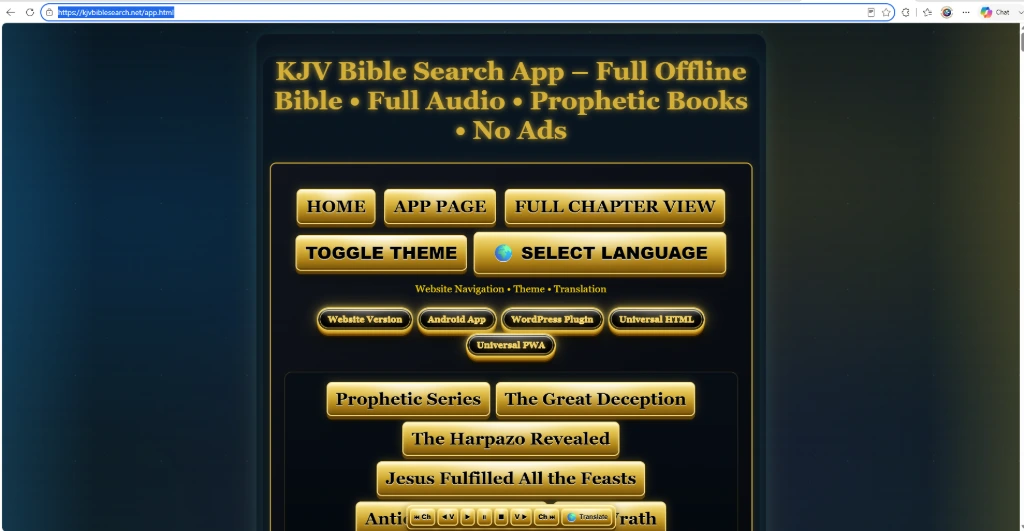
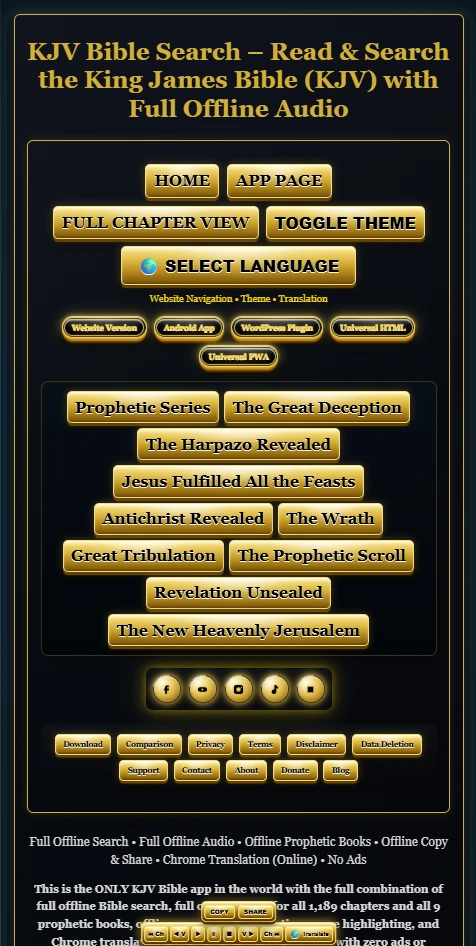
Universal Version Interface
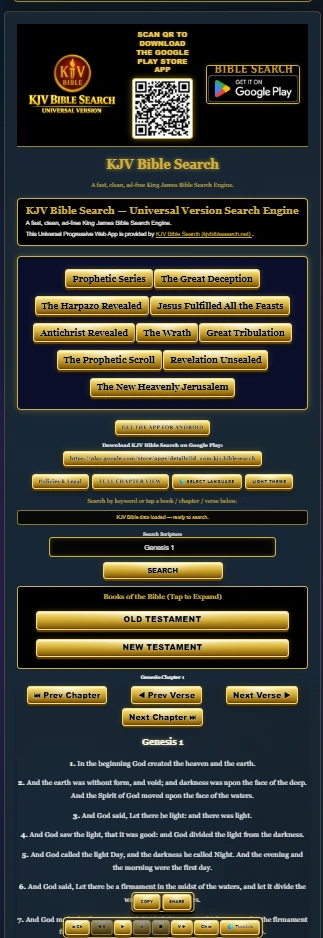
KJV Bible Search Universal Version — Live PWA
https://kjvbiblesearch.org/ is the official live
KJV Bible Search Universal Version and the installable
Progressive Web App (PWA).
You can use the complete Universal Version immediately online without
downloading or uploading any files.
On supported browsers and devices, you can also install it directly
from your browser as a standalone KJV Bible Search application for
compatible mobile phones, tablets, desktop computers and laptops.
Once the required application resources and KJV Bible database have
been cached on the device, the PWA can continue operating
offline as well as online.
OPEN & INSTALL UNIVERSAL PWA
Browser installation options and available PWA capabilities depend on
the browser and operating system being used.
The downloadable Universal Version ZIP below is a separate option for
users who want to host the Universal HTML version on their own website,
server or compatible platform.
The Universal Version is the standalone,
platform-independent edition of the KJV Bible Search Engine.
It is a complete HTML / CSS / JavaScript
web application designed to be hosted independently and displayed
inside compatible websites, web platforms, WebViews, mobile applications,
desktop wrappers, or ordinary HTML websites.
The Universal Version uses the unified Bible Search engine with
index.html,
universal.js,
kjv_full.json,
Text-To-Speech,
COPY & SHARE,
real-time verse highlighting,
keyword highlighting,
chapter and verse navigation,
Book → Chapter → Verse navigation,
and an ad-free interface.
The official live Universal deployment is available at
kjvbiblesearch.org
,
where it can also be installed as a Progressive Web App on supported devices.
The downloadable ZIP remains the portable Universal HTML package for deployment
on your own compatible website or hosting environment.
Universal Version ZIP Size: approximately 1.75 MB
DOWNLOAD UNIVERSAL VERSION (ZIP)
Download Link:
https://kjvbiblesearch.net/downloads/kjv-bible-search-universal.zip
Also available for
Android
and as a
WordPress Plugin
.
Complete Universal Version Installation Instructions
The Universal Version must be uploaded to a web server or hosting
environment so its HTML, JavaScript and Bible JSON files can load
together through normal HTTP/HTTPS requests.
-
Download the
KJV Bible Search Universal Version ZIP
using the button above.
-
Extract the ZIP file on your computer.
-
Create a dedicated folder on your website or hosting account.
For example:
/kjv-bible-search-universal/
-
Upload the complete extracted package into that folder.
-
Keep the supplied folder and file structure intact.
Do not move individual JavaScript, JSON, image, CSS or Bible-data
files into unrelated folders unless you also deliberately update
every path reference that depends on them.
-
The supplied package includes the main Universal Version files,
including:
index.html
universal.js
style.css
kjv_full.json
tts.js
floating-actions.js
copy-share.js
download.png
the supplied KJV Bible Search logo/image assets
README.txt
and any additional supplied support files or folders.
-
Do not omit
copy-share.js.
It provides the COPY and SHARE functionality used by the
Universal interface.
-
Do not omit
tts.js.
It provides the Text-To-Speech audio controls.
-
Do not omit
floating-actions.js.
It creates the floating COPY / SHARE interface used by the engine.
-
Do not omit
kjv_full.json.
It contains the Bible data used by the search engine.
-
After uploading the package, open the uploaded
index.html through your actual website URL.
For example:
https://yourdomain.com/kjv-bible-search-universal/
-
Use the hosted HTTP/HTTPS URL when testing the Universal Version.
Opening the package directly from your computer using a local
file:// address may prevent browser security rules
from allowing JavaScript to fetch the Bible JSON data correctly.
-
Confirm that the interface displays the message that the KJV Bible
data has loaded and is ready to search.
-
Test a direct Scripture search such as
Genesis 1:1.
-
Test a keyword search such as
faith.
-
Test OLD TESTAMENT and NEW TESTAMENT expansion.
-
Test Book → Chapter → Verse navigation.
-
Test Previous Verse, Next Verse,
Previous Chapter and Next Chapter navigation.
-
Test the Text-To-Speech audio controls.
-
Test the floating COPY button.
-
Test the floating SHARE button on a compatible browser or device.
Embedding the Universal Version Into Another Web Page
The safest platform-independent embedding method is to host the complete
Universal Version in its own folder and embed the hosted
index.html using an iframe.
<iframe
    src="/kjv-bible-search-universal/"
    title="KJV Bible Search"
    width="100%"
    height="1800"
    style="border:0; width:100%; max-width:100%;"
    loading="lazy">
</iframe>
Change the src value if you uploaded the Universal Version
to a different folder or domain.
The iframe width should normally remain at 100%.
Adjust the iframe height to suit the amount of Bible Search content
you want visible on the host page.
If the Universal Version is hosted on a different domain from the page
embedding it, that hosting environment must permit the page to be
displayed inside an iframe.
Important File & Path Rules
-
Upload the complete package, not only
index.html.
-
Keep JavaScript, CSS, JSON, images and other supplied dependencies
in the locations expected by the supplied HTML.
-
File names are case-sensitive on many web servers.
-
Do not rename files unless you also update every matching reference.
-
Do not remove
copy-share.js if you want COPY and SHARE
functionality.
-
Do not remove
tts.js if you want Text-To-Speech.
-
Do not remove
kjv_full.json if you want Scripture
search functionality.
-
HTTPS hosting is recommended for the complete browser experience,
including modern Clipboard API behaviour.
-
After replacing or updating files, clear your browser cache,
hosting cache and CDN cache before testing the new version.
Using It With Website Builders
For website builders or hosted platforms that do not allow you to upload
and execute a complete HTML / JavaScript application directly inside a page,
first host the Universal Version on web hosting that serves the complete
package, then embed that hosted URL using the platform's HTML,
embed, iframe or custom-code feature where supported.
A full README.txt installation guide is also included
inside the Universal Version ZIP.
Universal Version Features
- Full KJV Bible Search Interface
- Standalone HTML / CSS / JavaScript architecture
- Instant keyword lookup
- Direct Scripture-reference lookup
- Keyword highlighting in search results
- Real-time verse highlighting
- Built-in Text-To-Speech audio bar
- Floating COPY & SHARE buttons
- Previous & Next Verse navigation
- Previous & Next Chapter navigation
- Book → Chapter → Verse navigation
- Full chapter view and navigation
- Unified JSON Bible engine using
kjv_full.json
- Responsive desktop, tablet and mobile interface
- Can be hosted independently and embedded into compatible platforms
- Suitable for standard HTML websites and compatible WebView applications
- Zero ads
- Zero advertising tracking built into the Bible Search engine
About KJV Bible Search
KJV Bible Search is a high‑performance King James Bible search engine built for accuracy,
speed, and purity of Scripture. The platform includes real‑time verse highlighting, instant
keyword lookup, full chapter navigation, and a clean, ad‑free reading experience across all
supported platforms.
KJV Bible Search is available through three core editions:
the Android App with its full offline engine,
the WordPress Plugin for WordPress websites,
and the Universal Version for compatible websites
and web platforms.
The Universal Version is also deployed live at
kjvbiblesearch.org
.
That live site is both the official Universal Version demonstration
and the installable KJV Bible Search Universal Progressive Web App (PWA).
It can be used immediately online in a supported browser or installed directly
from the browser onto compatible mobile phones, tablets, desktop computers and
laptops. After the required application resources and KJV Bible database have
been cached, the installed PWA can continue operating offline as well as online.
All versions include keyword highlighting, real-time verse highlighting,
a built-in TTS audio bar, floating copy & share buttons,
full verse/chapter navigation, and Book → Chapter → Verse navigation.
This download page is part of the KJV Bible Search ecosystem, which includes the
Home Page,
About Page,
Comparison Page,
Download Page,
Blog,
Terms & Conditions
,
Software Download Agreement,
WordPress Plugin Licence,
Universal Software Licence,
Android App EULA,
Privacy Policy,
Disclaimer and
Data Deletion Policy.
.webp)
 (1).webp)
 (1).webp)